Two desktop tools, free for anyone to use.
ASH PDF Studio is a general-purpose PDF viewer and editor; ASH Draw Studio is a 2D drafting and editing program for DWG and DXF drawings. Both are open source under the MIT licence, run on Windows 10 and 11 (64-bit), and need no account, registration or licence key. They are the tools we use on our own reviews; we publish them so that others can use them too.
Downloads are served from our Cloudflare storage. Each file's SHA-256 is listed next to its link and in the SHA256SUMS file of the release on GitHub.
View, mark up and edit PDFs — on your own machine.
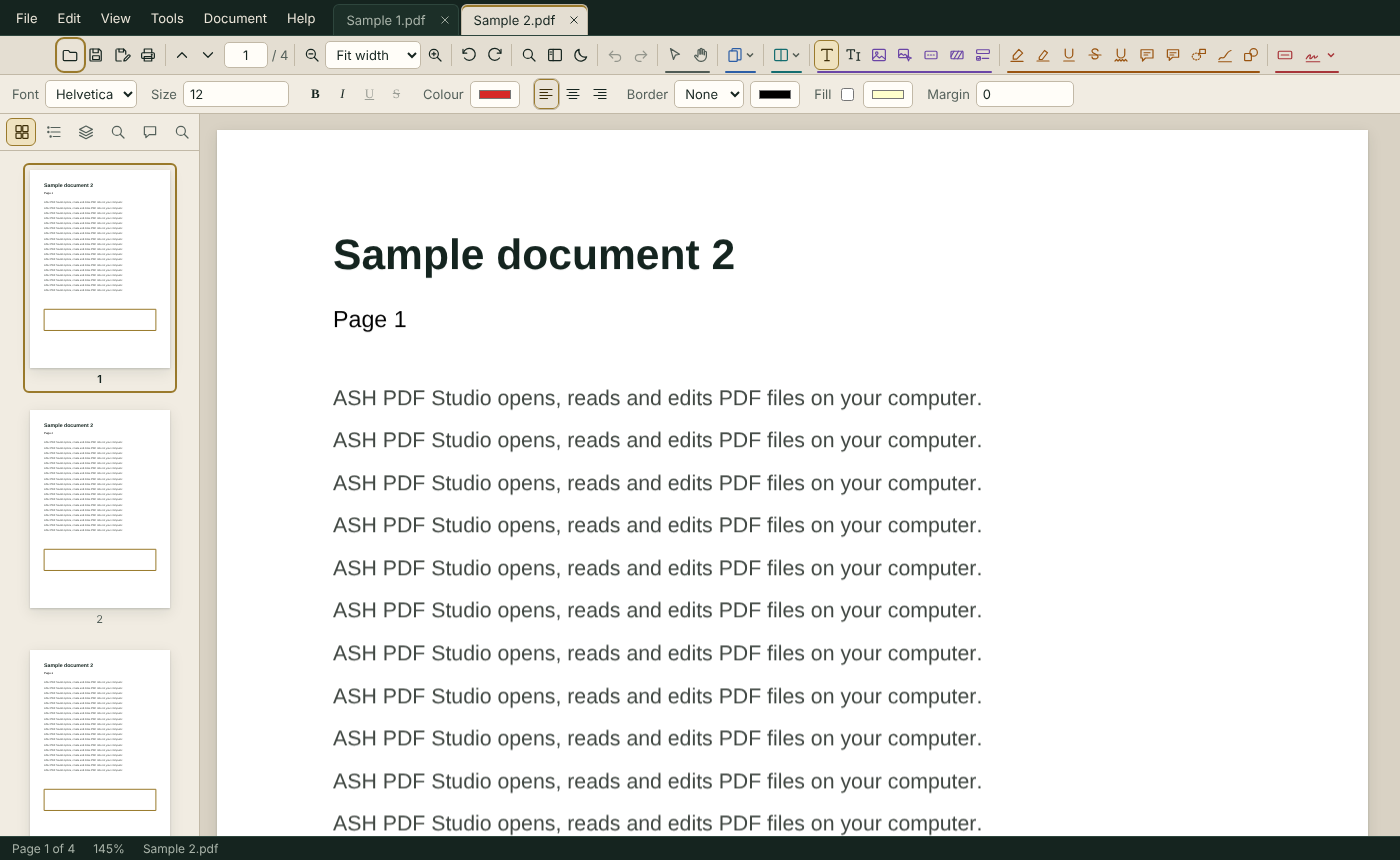
A full PDF editor for everyday engineering and office work: reading, commenting, stamping and signing, page organisation, editing of the original text and images, OCR of scanned documents and conversion to and from Word and Excel. Files never leave your computer.
- Real PDF annotations: text markup that follows the text, notes, shapes, callouts, rich-text boxes with pictures, groups
- Stamps and signatures: standard, dynamic and custom stamps; a signature library protected by the Windows login; apply (burn in) a signature
- Edit the original content: text, images, true redaction — undoable until saved
- Pages: insert, delete, reorder, rotate, crop (incl. remove white margins), merge, split, interleave, drag and drop between open documents
- Headers, footers, page numbers, Bates numbering, watermark, background, reduce file size
- OCR (English) for scanned PDFs; create searchable PDFs from images
- Built-in Word ↔ PDF and Excel ↔ PDF conversion; export to image
- Split view, reading mode, layers, light and dark theme, built-in help with guided tours (F1)
Installer — adds a Start-menu entry and the .pdf "Open with" option.
SHA-256 033c567beadcb84dd2a8e8df3acd7b92c406fcbabd9c637ee07b5cf0c0cd0751Single file, no installation — runs from any folder or a USB stick.
SHA-256 3498c73e740150b20d04498ebf63c2e5a43dfd75e2b8453787405f2c4799cb37Draft, edit and review DWG and DXF drawings.
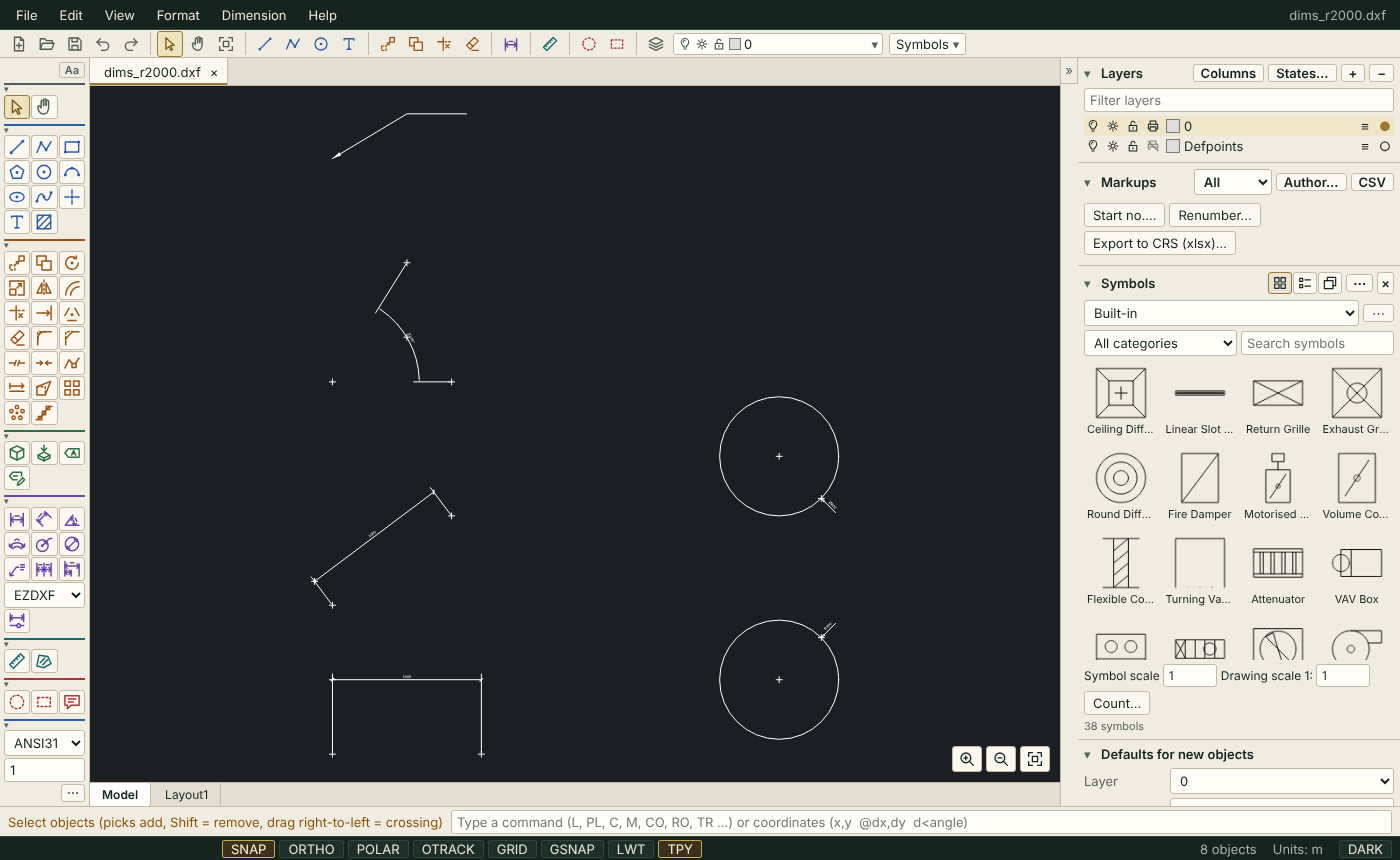
A 2D CAD program built around the commands a drafter already knows: drawing and modify tools, blocks, layers and layer states, dimensions, hatches, layouts and viewports, external references, plotting to PDF. It opens and saves DWG and DXF and adds the review tools we needed on site: compare two revisions, mark up with review codes, export the comments to a CRS sheet.
- DWG (through the bundled LibreDWG converter) and DXF, read and write; AutoCAD 2018 drawings of 100 MB and more
- Draw and modify tools with a command line, object snaps, polar and object tracking, grid snap, grips, MATCHPROP
- Blocks with attributes, block editor, symbol library and symbol count schedule to Excel
- Layers panel with filters, per-viewport freeze, layer states; dimensions and dimension styles; hatches and .pat files
- Model and layout tabs, viewports with scale and lock, page setups, plot and publish to PDF
- Compare two drawings with automatic alignment; review markups with codes and CRS export
- External references, images, OLE previews, Arabic text in PDF output
- Optional DWG saving in any AutoCAD version through the ODA File Converter when it is installed
Installer — adds a Start-menu entry and the .dwg / .dxf "Open with" option.
SHA-256 d7a019670da15dcce0819f0d95a95384aa6048907f999a15b8a7fe8075332341Single file, no installation — runs from any folder or a USB stick.
SHA-256 3abd169a37c05f971ff52c3cb65f8cf7e39bfa121c0edff2a107715463275affUnpacked program folder for managed PCs — extract and run ASH Draw Studio.exe.
SHA-256 0058db87df03f887c08527dee510c3a58956145bd0a5f0c4a65a32fe30460a94Installing
Windows 10 or 11, 64-bit. The executables are not code-signed, so Windows SmartScreen shows a warning on first run: choose More info → Run anyway. Check the file's SHA-256 first if you want to be sure of it (certutil -hashfile <file> SHA256).
The Setup version installs for the current user and can be removed from Windows Settings; the Portable version keeps its settings next to the executable.
Licence
Both programs are released under the MIT licence: free to use, copy and modify, for private and commercial work, without warranty. The third-party components and their licences are listed in each program under Help ▸ About and in the THIRD-PARTY-NOTICES file of the source.
The DWG converter shipped with ASH Draw Studio is LibreDWG (GPL-3.0), an unmodified separate program apart from two published patches; its source and the patches are attached to every release on GitHub.
Support and feedback
Questions, bugs and suggestions: [email protected], or open an issue on GitHub. The user guides are also built into the programs (F1).
The programs are tools for qualified users; results and output are to be checked by the responsible person. Software versions, limitations and what each program cannot do are listed in the user guides.