Structural· Release 2.68
Structural design software for frames, concrete and steel.
The Structural Design Bench combines load combinations (ASCE 7 or SBC 301), beams and 2D frames with second-order P-Δ, reinforced-concrete members, footings and steel members to AISC 360-22 — with plan and section sketches and member schedules. Recent releases re-checked it against SBC 2018 and SBC 2024 and against AISC 360-22.
From the frame model to the footing and the bill of quantities.
Members become design sections in one click, and every check prints the clause it rests on.
Load combinations & frames
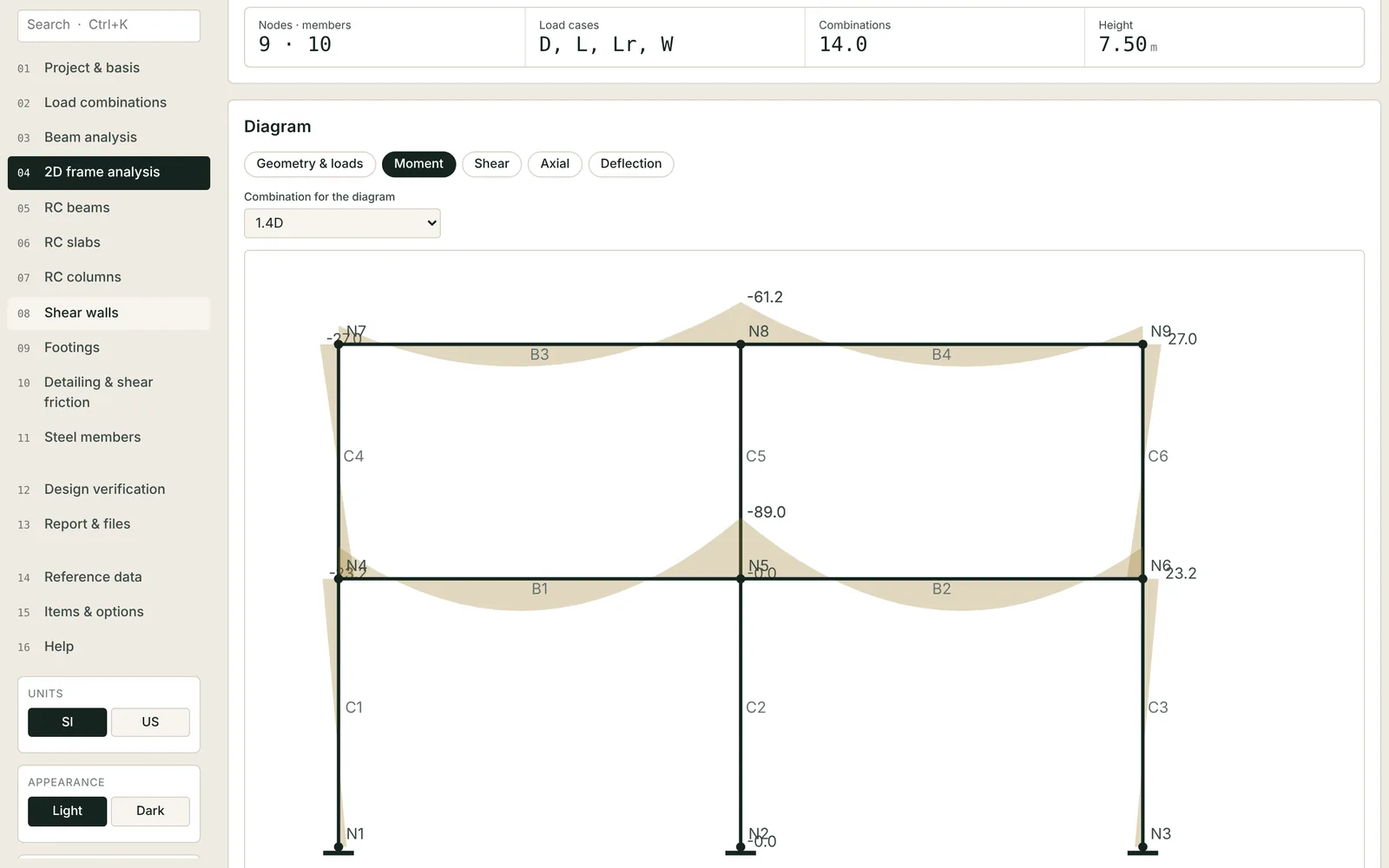
Load combinations (ASCE 7 or SBC 301); beams and 2D frames with second-order P-Δ; moment, shear, axial and deflection diagrams per combination.
Reinforced concrete
RC beams, slabs of every common type, rectangular and circular columns, shear walls; development and lap lengths, shear friction.
Footings
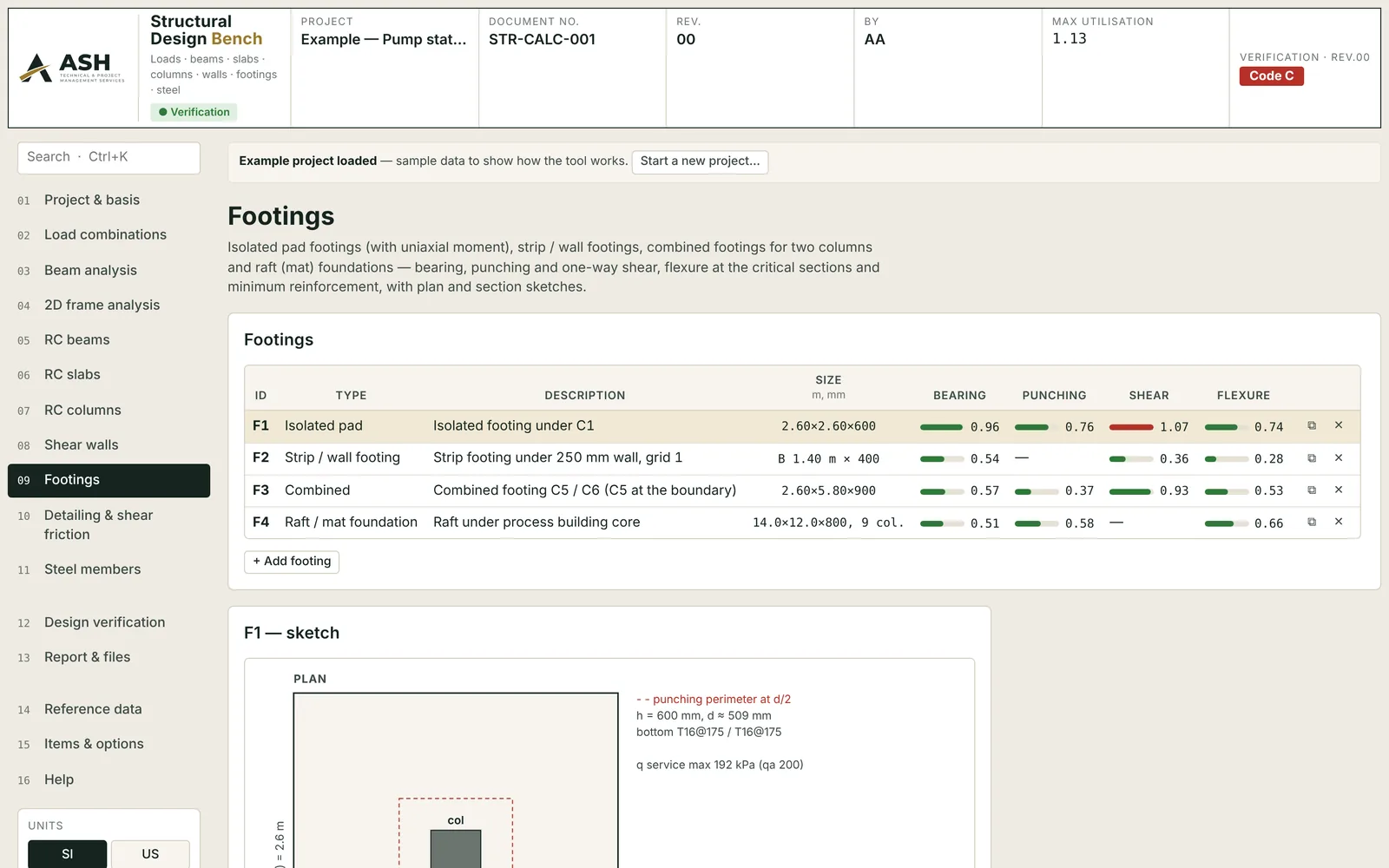
Pad, strip, combined and raft footings with bearing, punching, shear and flexure utilisation and a plan and section sketch.
Steel members
Steel members to AISC 360-22.
Schedules & BOQ
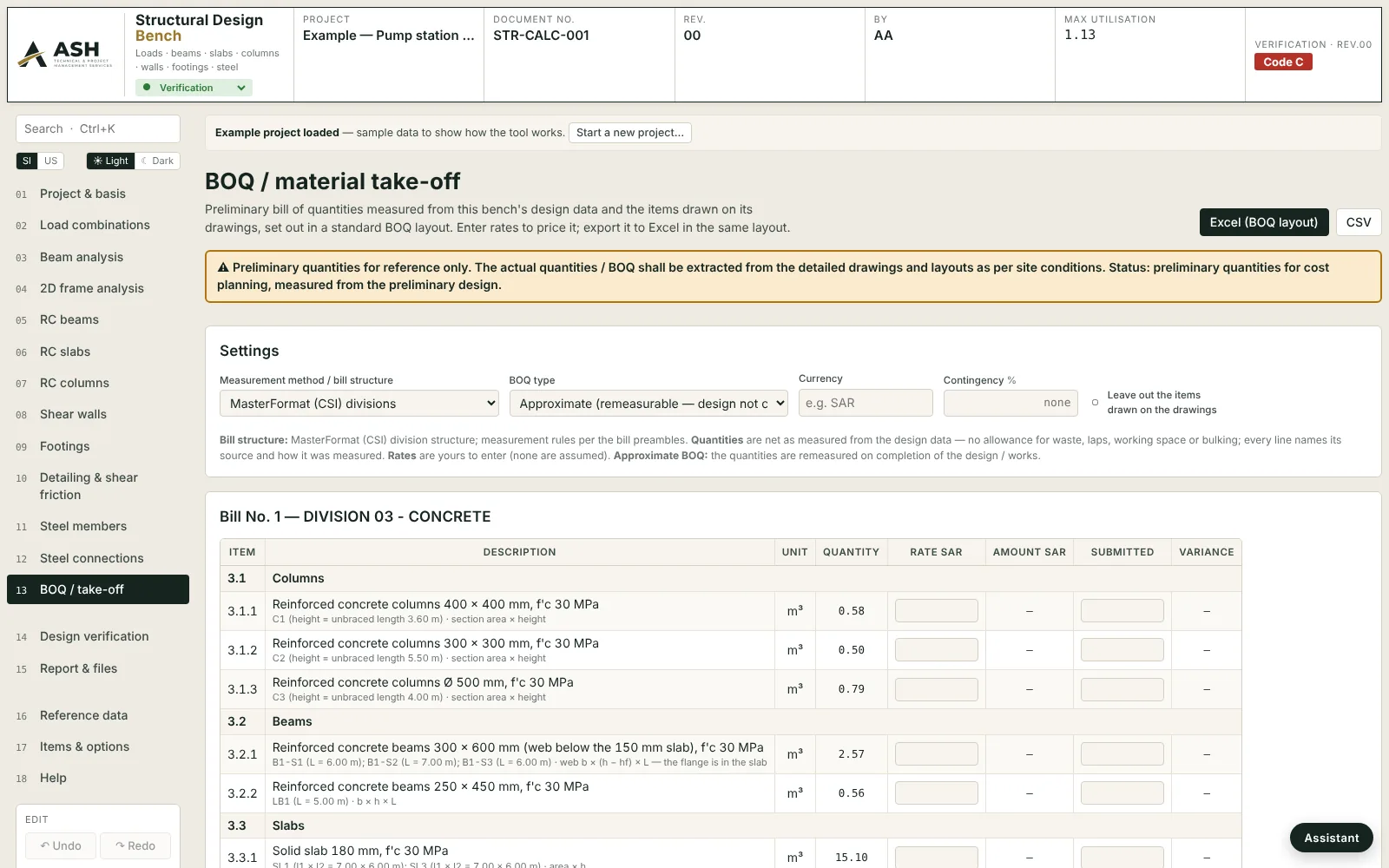
Member schedules, plus quantities measured from the design data and the drawings in MasterFormat divisions with rate and amount columns — exported to Excel in the bill layout.
Frame analysis, footings and take-off.
Screens from the example project that ships with the Structural Design Bench.
Concept, detailed design, verification — the same engines throughout.
A concept scheme, the detailed design and the reviewer's check are run by the same code, so they never disagree with each other. Choose the stage when a project starts; develop a concept into the detailed design in one click.
From a few inputs to a sized scheme
- Floor areas, occupancy, grid, flows, population
- Plant sizes, member sizes, main feeders, storage, quantities
- For options, budgets and early coordination
Every element, every check
- Element-by-element sizing with code checks and clause references
- Diagrams, schedules, single-line and riser diagrams, SVG export
- Calculation report for submission; Excel and CSV schedules
Independent check of a design by others
- Submitted values beside the calculated ones
- Review codes A / B / C with the clause; CRS comment rows
- Rev.xx resubmission cycles; value-engineering opportunities
Which codes and standards do the benches use?
The Saudi Building Code set (SBC 201, 301, 304 and 801) and the Saudi Civil Defence regulations, ACI 318 and ASCE 7, AISC 360-22, the International Codes (IBC, IPC, IMC, IFC), NFPA 13, 14, 20, 72, 92, 101 and 2001, NEC and IEC 60364 / 60909 for electrical, IEEE 1584 for arc flash, ASHRAE Fundamentals for HVAC, ASME B31.3, API 520, ISO 5167 and IEC 61511 for piping and instruments, IEC 62676-4 for CCTV, and QCS 2014 with the Qatar Civil Defence guidelines among others. Every check names its clause, and each requirement pack states the edition it quotes.
Does it replace finite-element or building-energy software?
No. The benches cover the member, system and network calculations of everyday design and review — frames, feeders, ducts, networks, sprinkler areas — with the transparency a reviewer needs. Whole-building finite-element models and detailed hourly energy simulation stay with their specialist tools; the benches sit beside them and check what they produce.
Can I bring in the contractor's schedules?
Yes. Import data in any bench reads Excel, CSV, pasted tables and DXF; the Data Import tool also reads schedules from text PDFs and traces single-line diagrams. Cable and instrument schedules can be checked line by line against the calculation.
Is my project data sent anywhere?
Your project never leaves your computer: the benches and ELDAS keep projects in the browser and in the files you save. The pages serve their own fonts; the trial applications still load their web fonts from Google Fonts. See the privacy notice.
Try the Structural Design Bench for 30 days.
[email protected]The trial builds are time-limited, open at the design-review stage and watermark their reports. For a walk-through on a package of yours, or the full version: which bench, whether you design or review, and how many people would use it — we reply within one business day. Pricing is published after the company registration completes.